
🔑 How to activate a Microsoft 365 account
1️⃣ Log in
- Go to the Microsoft login page
- Enter the email address that was sent to you
- Press Next
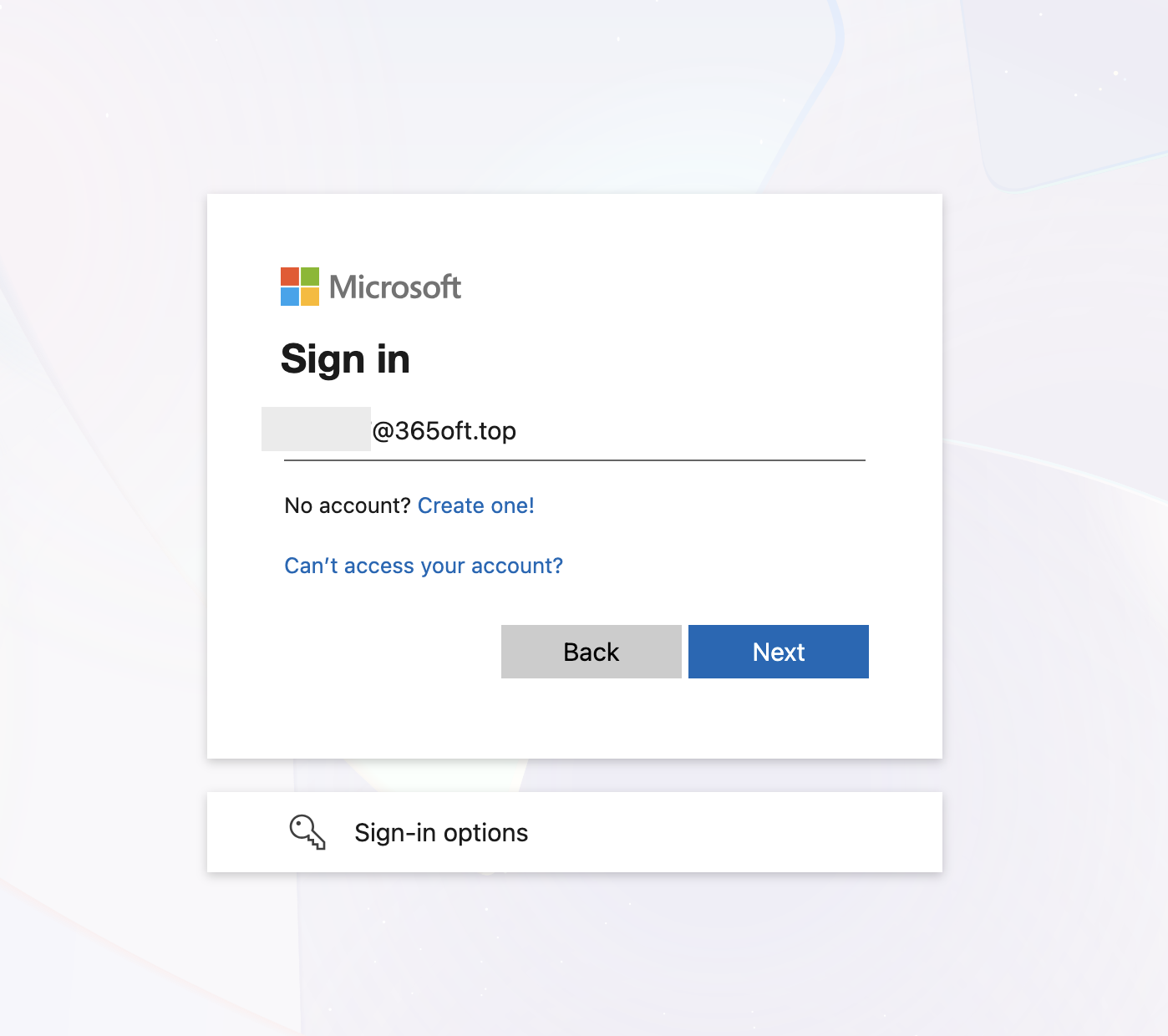
2️⃣ Enter your password
- Enter the password you received
- Click Sign in
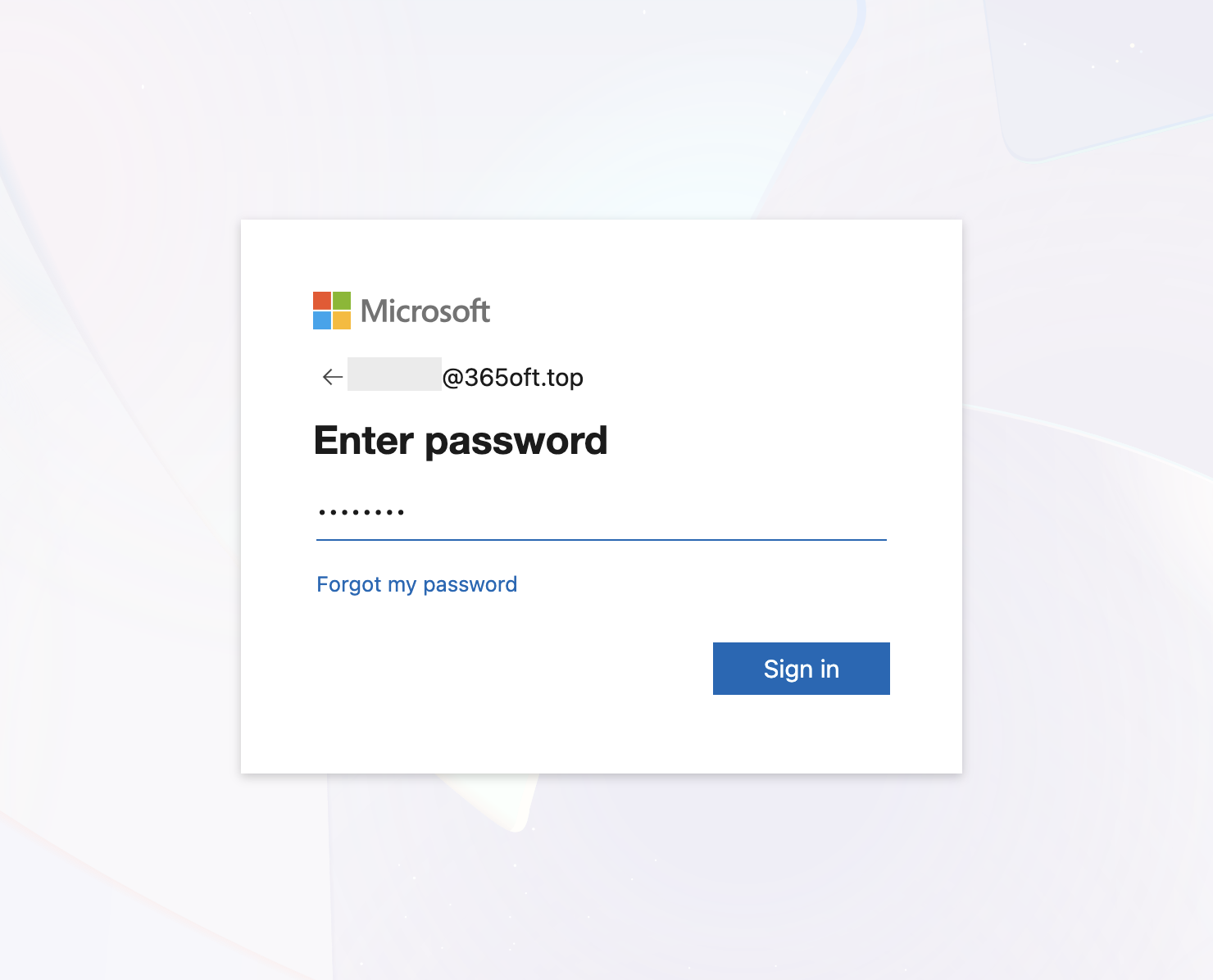
3️⃣ Change your password (mandatory)
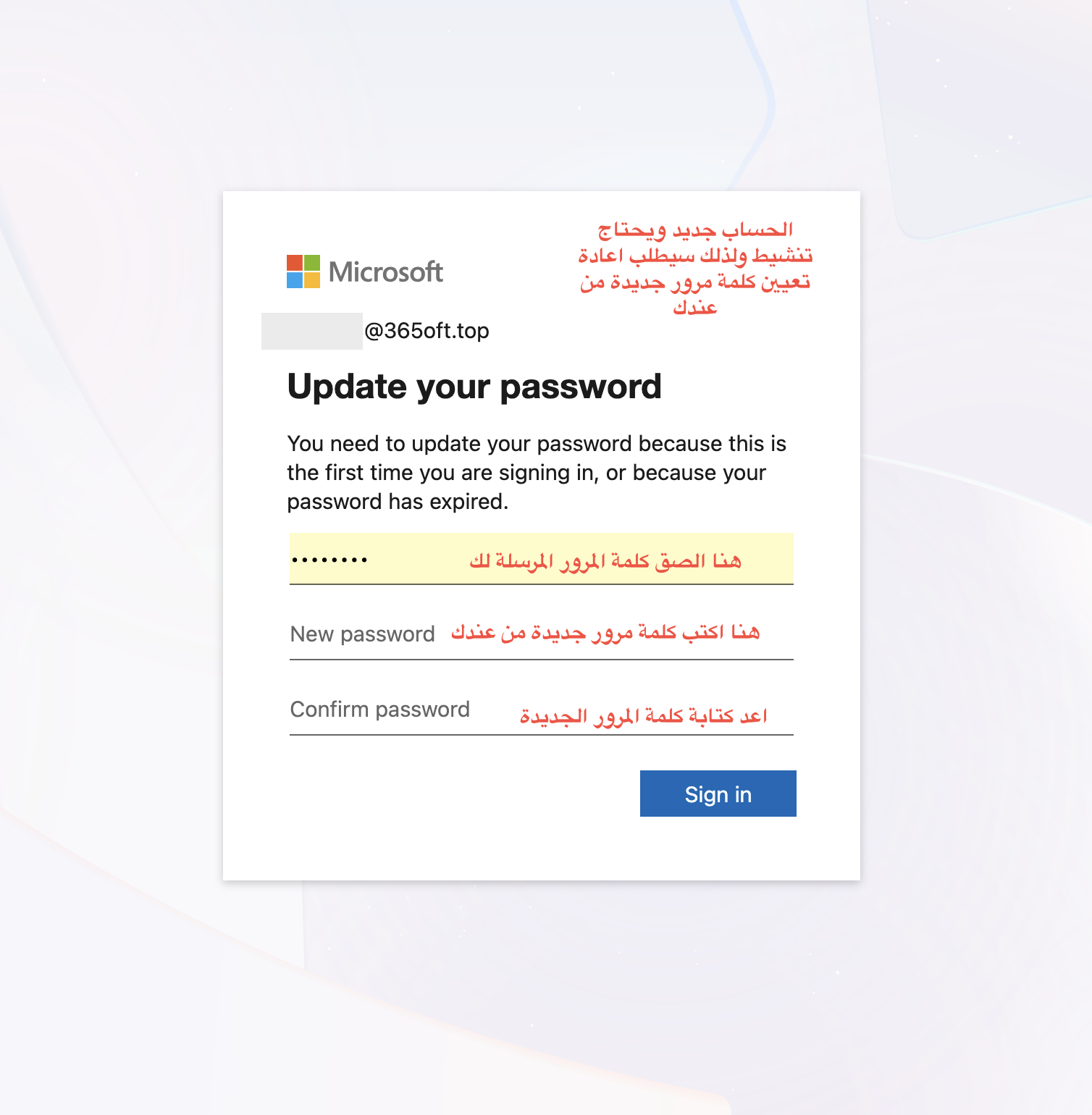
Upon your first login, you will be asked to change your password:
- Enter the current password
- Enter a new password
- Confirm the new password
✅ Choose a strong word that contains numbers, letters, and special symbols
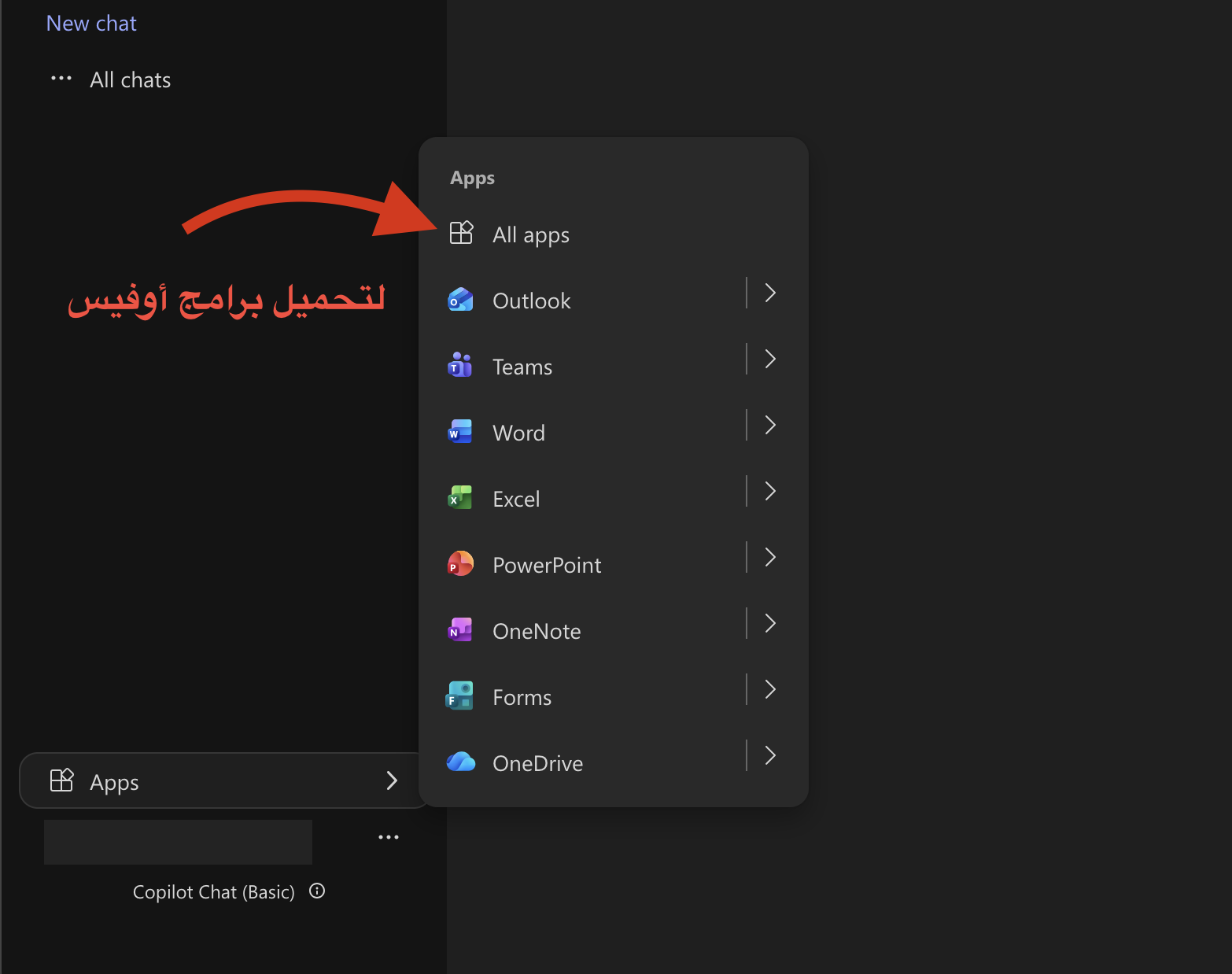
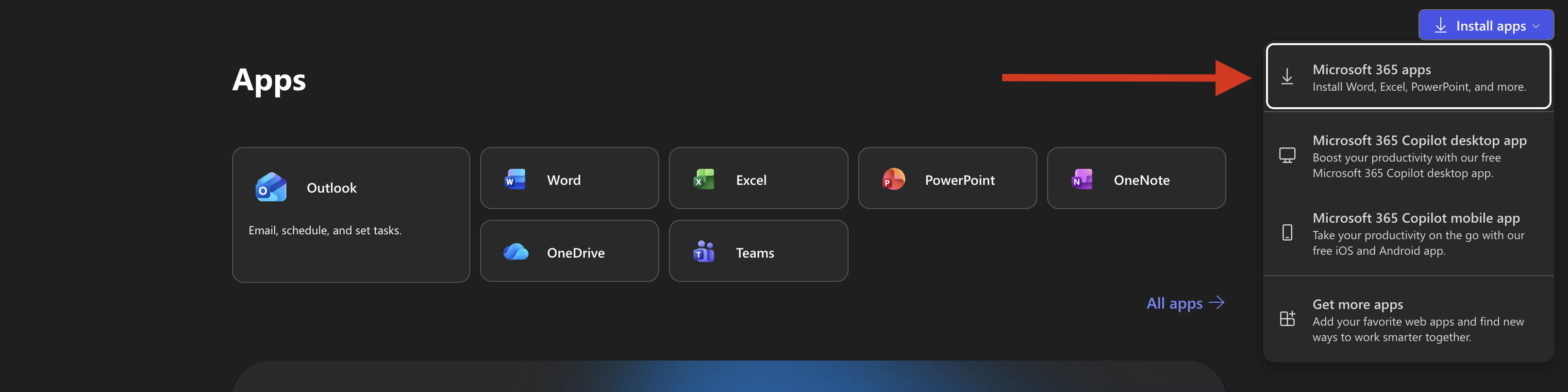
4️⃣ Access the application panel and download applications if they are not available on your device.
- After logging in, go to the Apps menu.
- Select All apps
5️⃣ Download Office programs
- Click on "Install apps" located at the top corner of the page.
- Choose Microsoft 365 apps
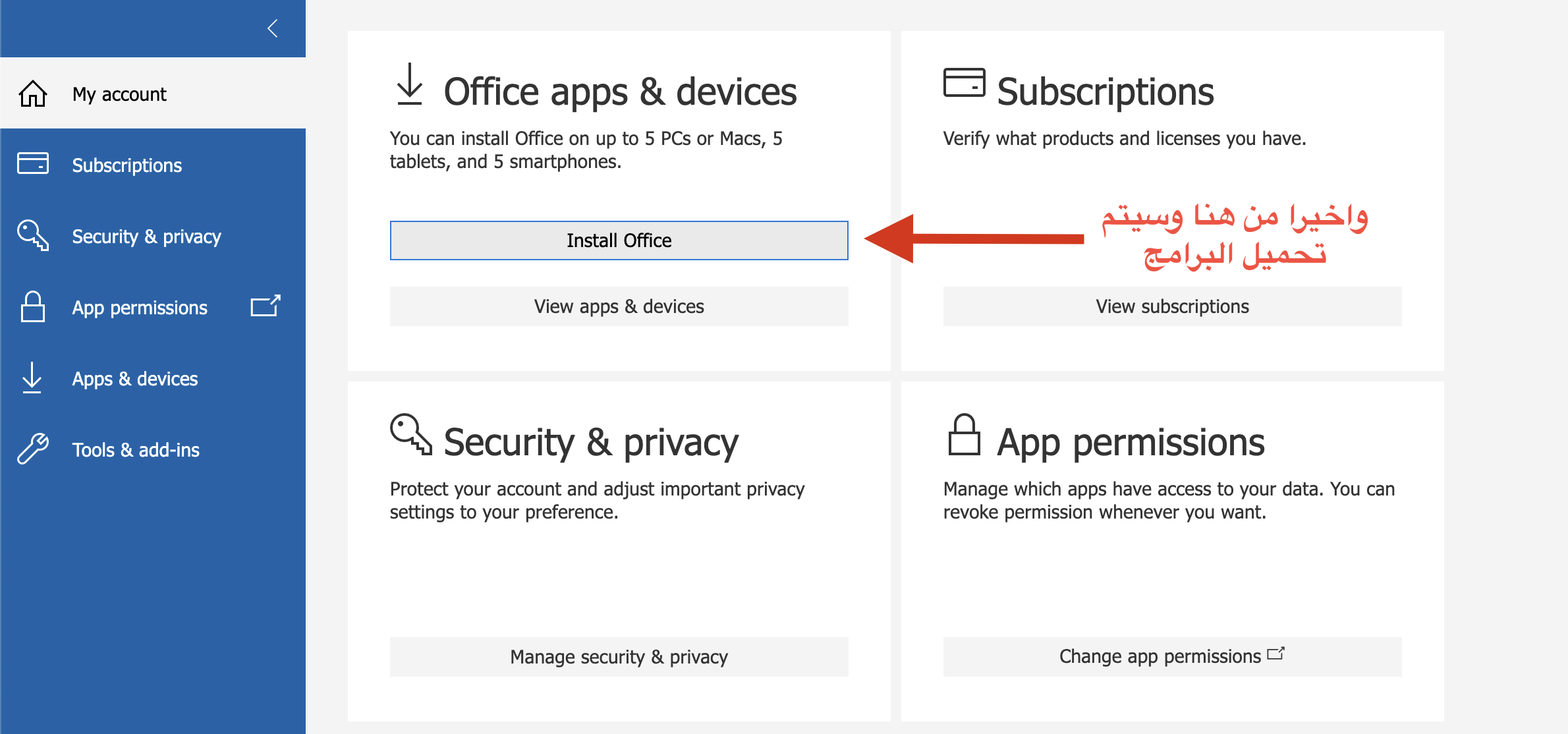
6️⃣ Installing software on your device
- Click on Install Office
- The programs will be downloaded to your device (Word, Excel, PowerPoint, etc.)
✅ After activation
- Open any program (such as Word)
- Log in with the same account
- Activation will be automatic
Important notes
- This account is for you only
- Do not share your login details with others.
- Keep your new password in a safe place.
Once the previous steps have been completed:
✔ The account is fully activated
✔ The programs are ready to use
✔ Activation is permanent as long as the account is active
2 - 📱 How to link your Microsoft 365 account to your mobile number to recover your password if you forget it and to protect your account
🔐 Linking your number helps you easily recover your account if you forget your password
ﻻ
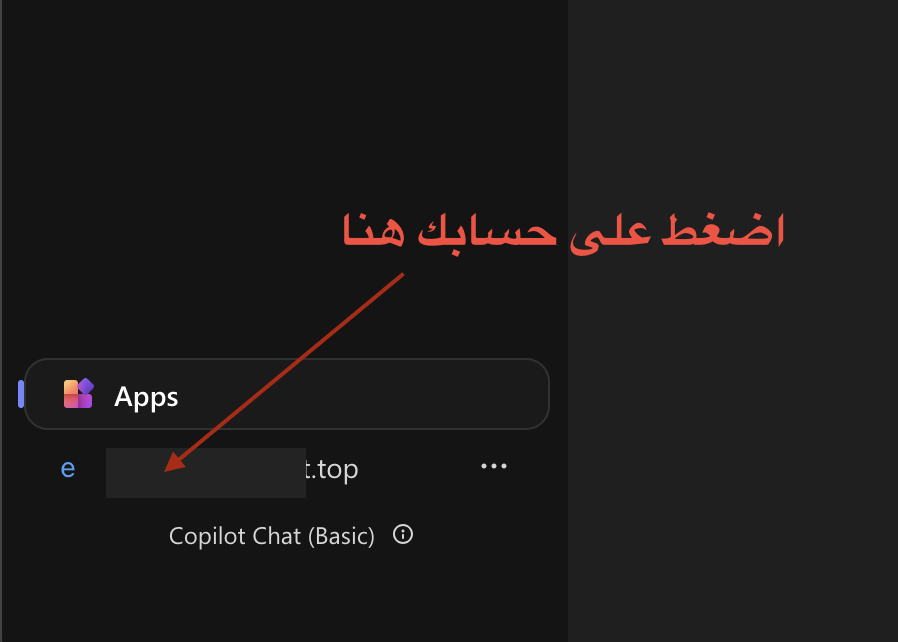
1️⃣ Access account settings
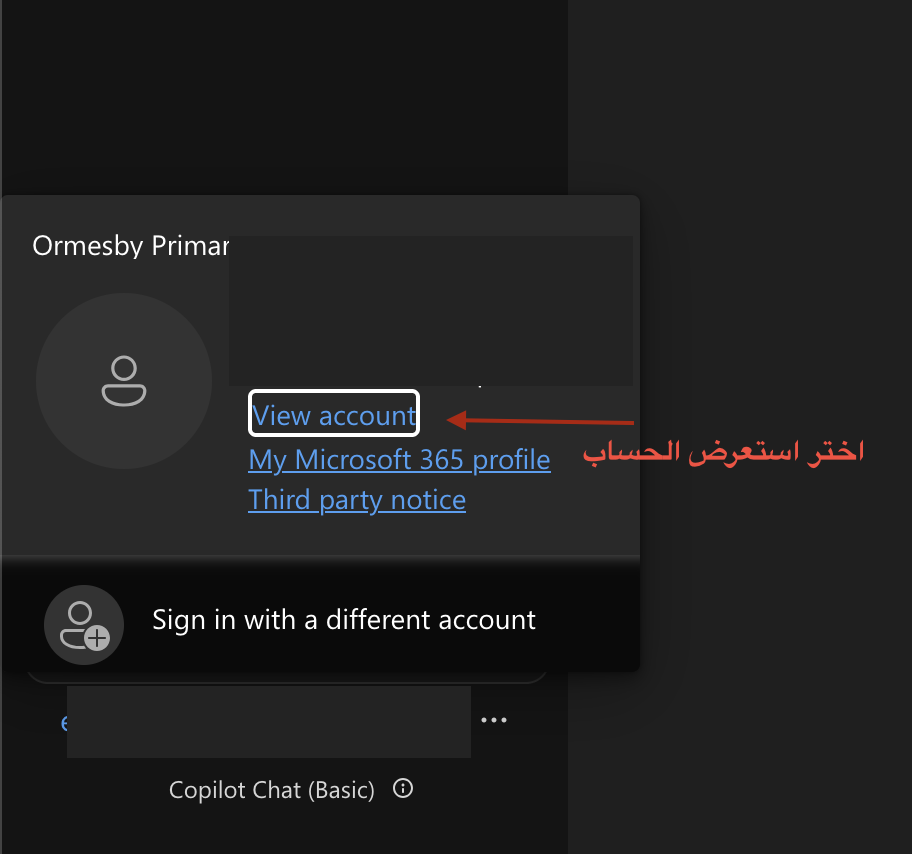
- After logging in, click on your account icon .
- Select View account
2️⃣ Open security settings
- From the side menu, select
- Security info
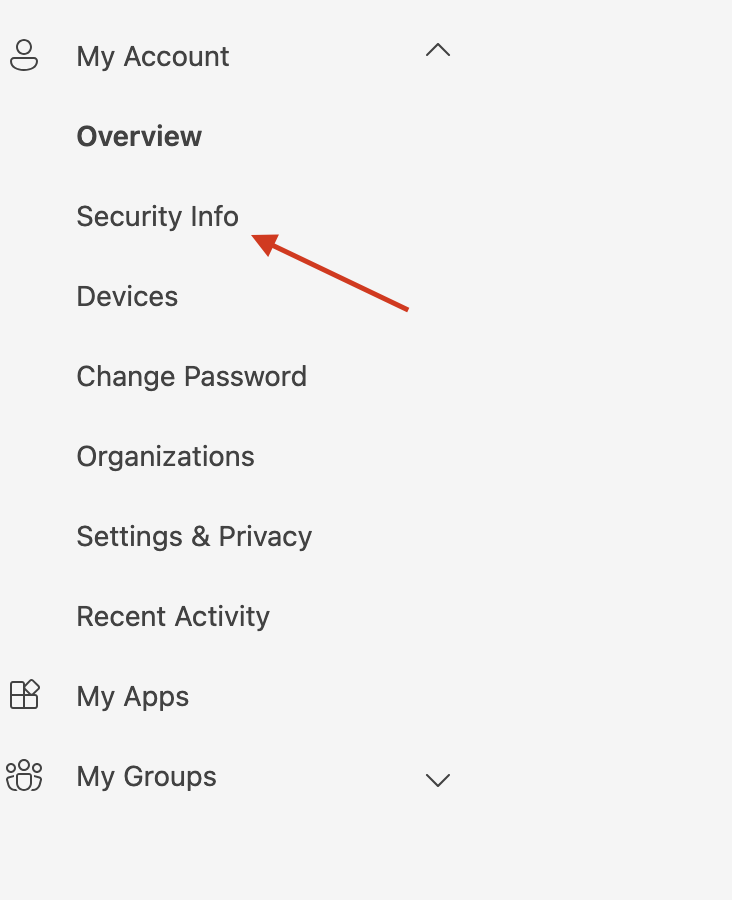
3️⃣ Adding a new verification method
- Click on Add sign-in method
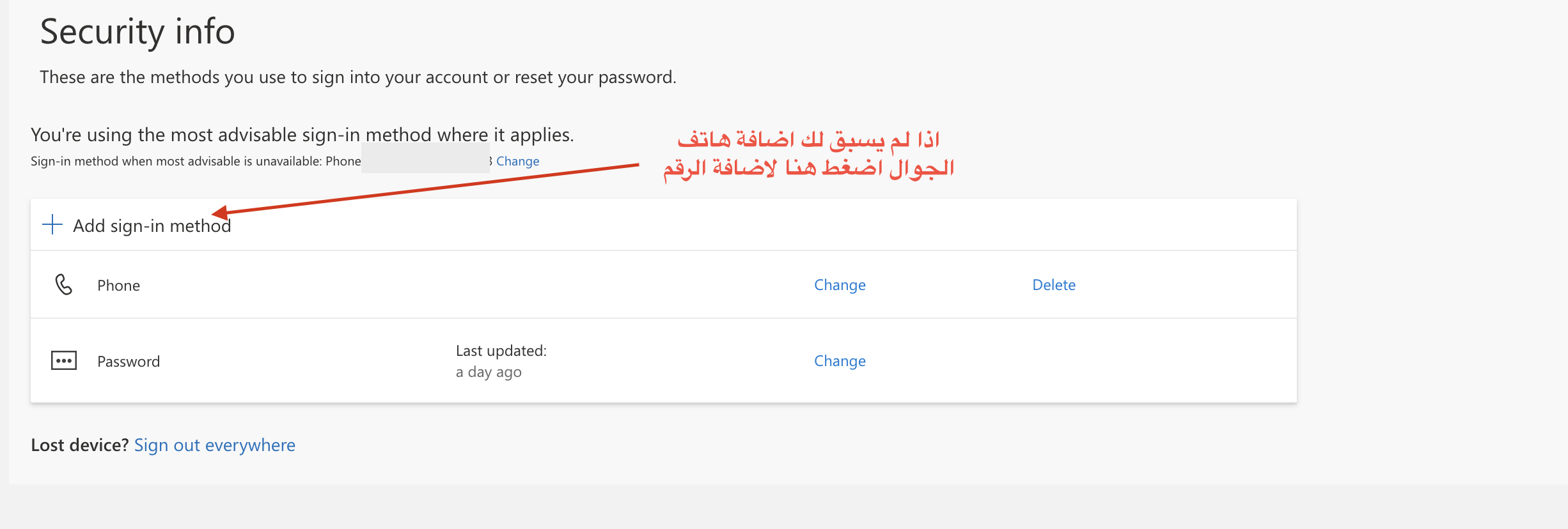
4️⃣ Choosing a mobile number
- Select Phone from the options
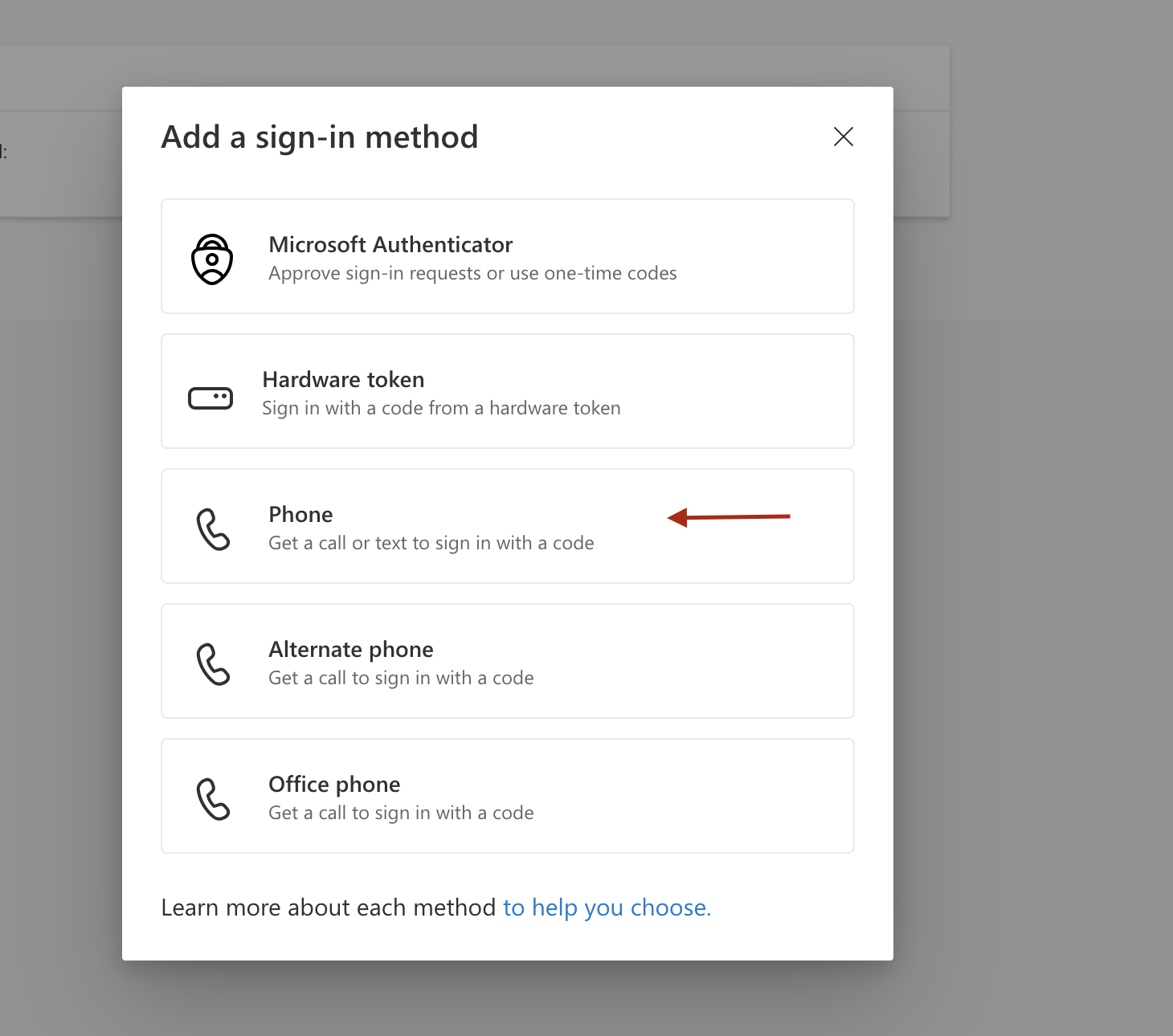
5️⃣ Enter your number
- Choose the country code (Saudi Arabia +966)
- Enter your mobile number
- Select Text a code (Send a text message)
- Press Next
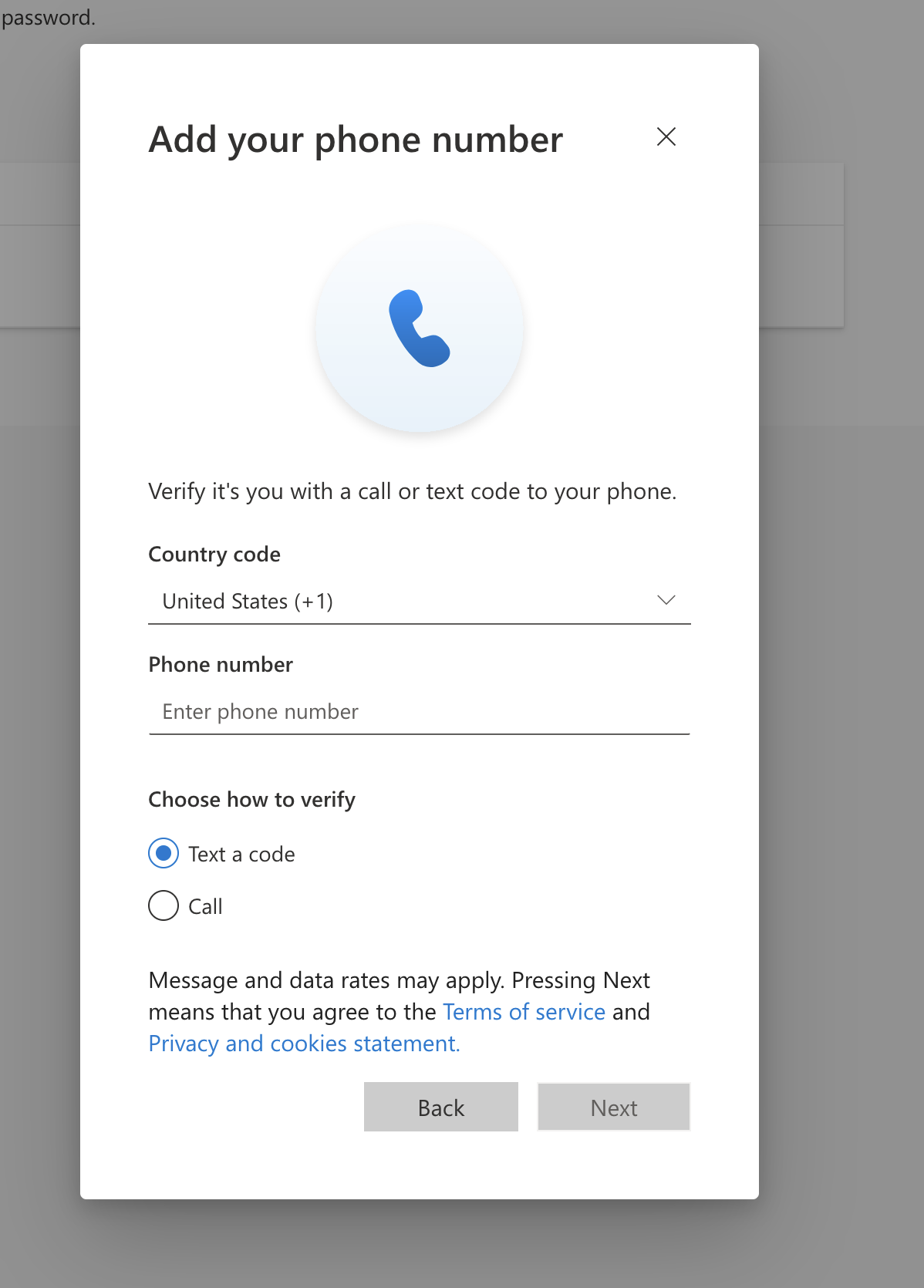
6️⃣ Confirm the number
- You will receive a message containing a verification code.
- Enter the code on the page
- Press Confirm
🔄 Recover password later
If you forget your password:
- Click "Forgot password"
- Choose mobile number verification
- You will receive a password reset code.
⚠️ Important Notes
- Make sure you enter the number correctly.
- Do not share the verification code with anyone.
- You can edit or delete the number later from the same page.
⭐ Summary
✔ Extra account protection
✔ Fast password recovery
✔ Higher security without complications